免费 · 开源 · MIT 许可Free · Open source · MIT licensed

写的是 Markdown,
看到的是排好版的文档
Write Markdown.
Read a finished document.

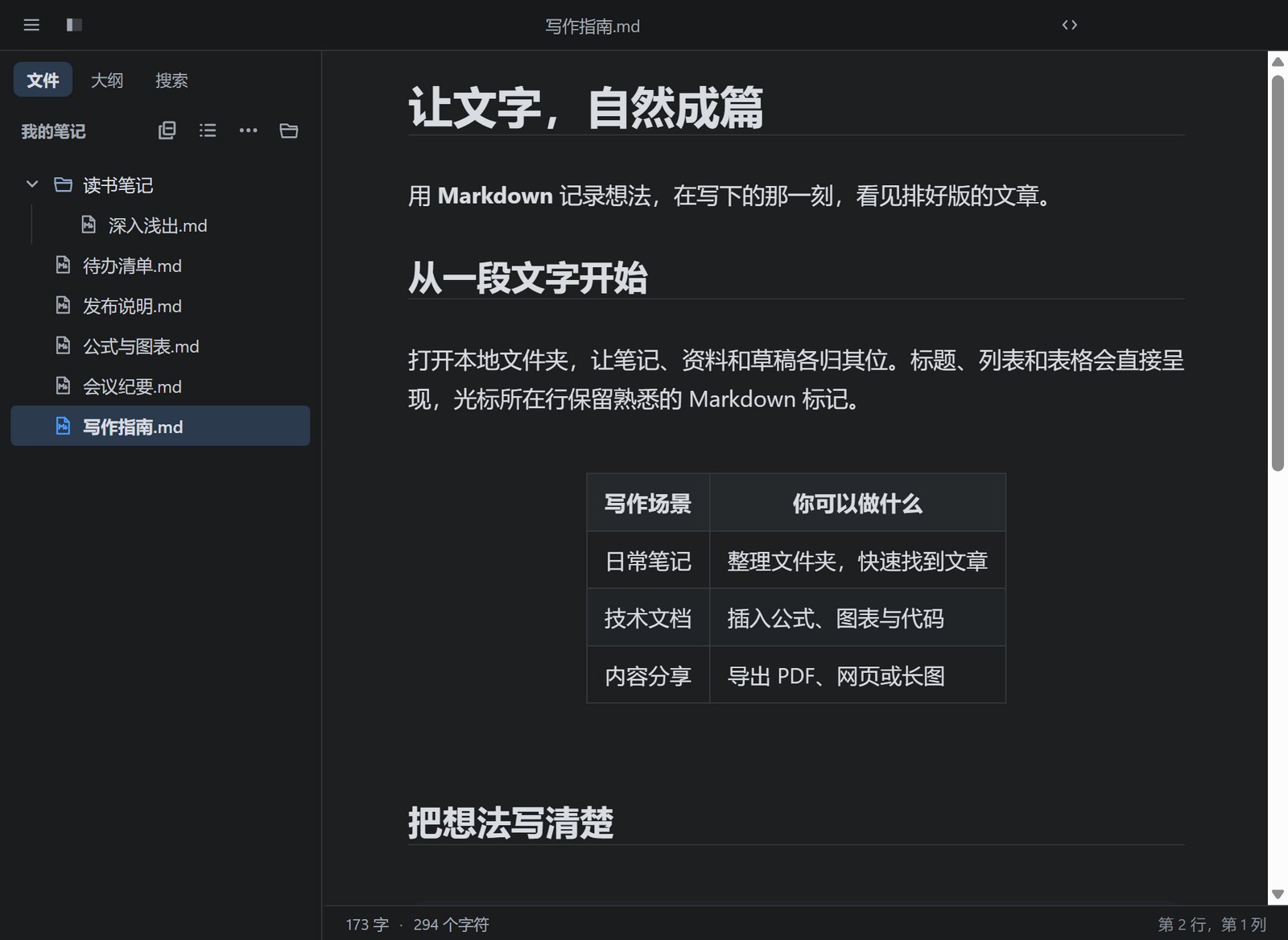
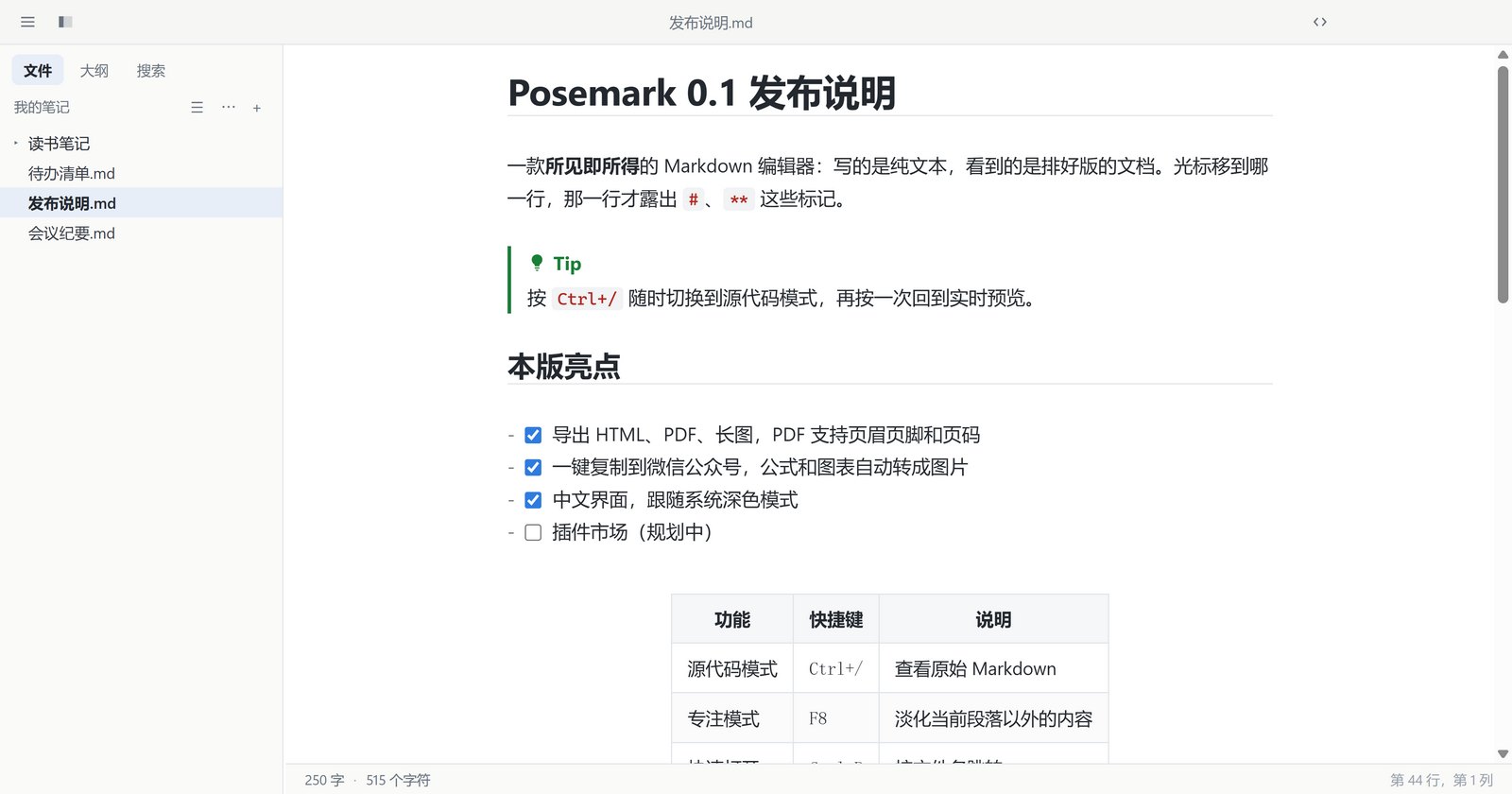
Posemark 是一款所见即所得的 Markdown 编辑器。标题就是标题,表格就是表格;光标移到哪一行,那一行才露出 #、** 这些标记。 Posemark renders Markdown in place as you type. Headings look like headings, tables look like tables — the # and ** markers only appear on the line your caret is on.

支持 Windows · macOS · Linux,界面支持简体中文与英文Windows · macOS · Linux, with an English and Simplified Chinese interface

Posemark editor

专心写,排版交给它Focus on writing, the layout takes care of itself

从笔记、技术文档到公众号文章,常用的 Markdown 写作场景都照顾到了。From notes and technical docs to newsletter posts — the everyday Markdown jobs are covered.

公式、图表,写完就看到Formulas and diagrams, rendered as you finish typing

公式块打开时是一个编辑框,下方实时显示渲染结果;Mermaid 图表在你停笔的瞬间重新绘制。A math block opens as a field with the rendered formula underneath; Mermaid diagrams redraw the moment you pause.

  • $…$、$$…$$、\(…\) 多种写法$…$, $$…$$ and \(…\) delimiters
  • AMS 公式编号,\label / \ref 交叉引用AMS numbering with \label / \ref
  • 化学式 \ce{H2O} 与 physics 宏包Chemistry \ce{H2O} and physics macros
  • 图表可右键另存为 SVG / PNGRight-click a diagram to save it as SVG or PNG
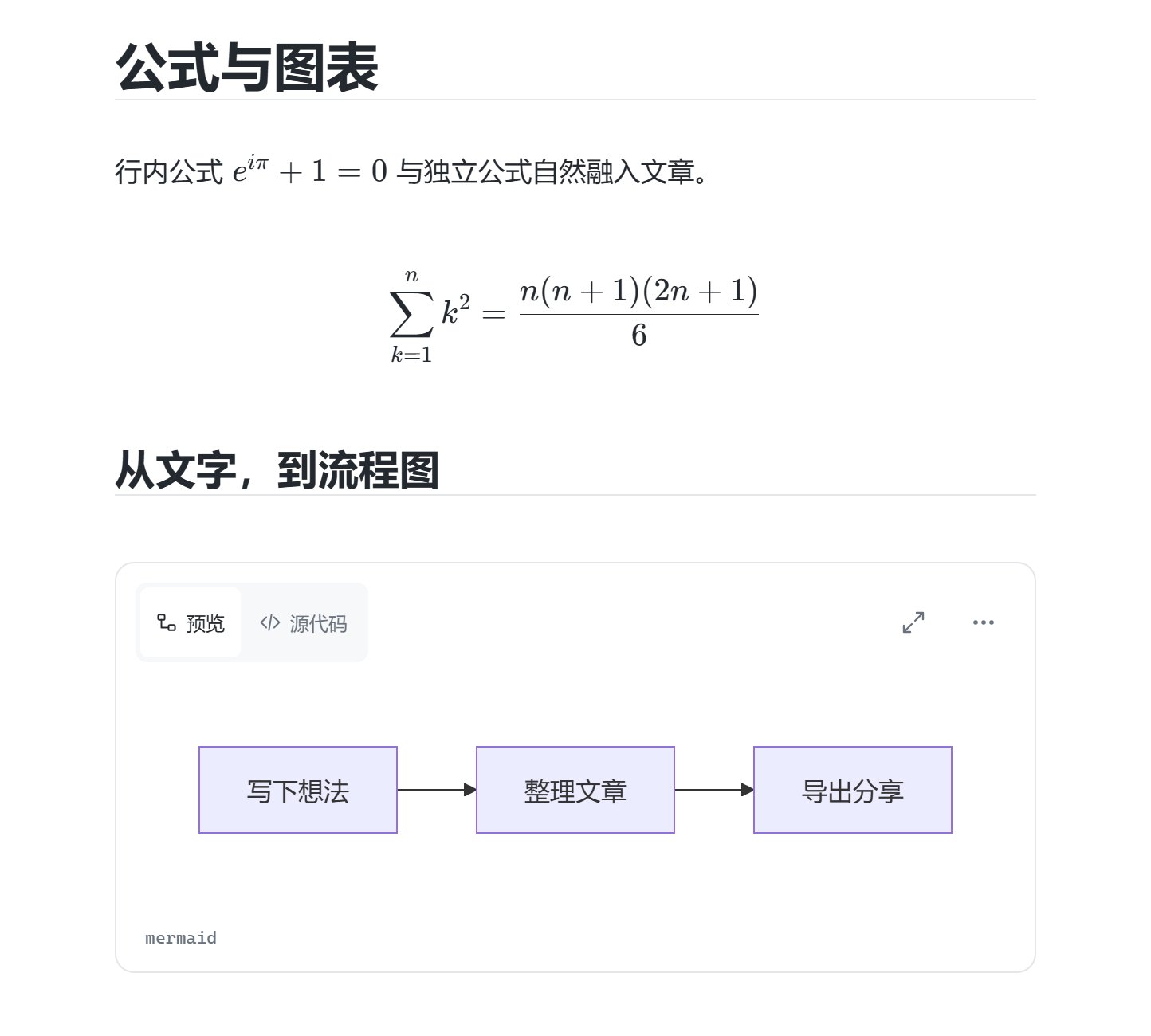
Posemark: Math & diagrams

换个主题,继续专心写A theme for the way you write

内置 5 套主题,浅色、深色各选一套,随系统自动切换,也能用自定义 CSS 微调。文件夹和文章在左侧按层级排列,写作时也能随时切换文档。Choose from five built-in themes, pick a light and a dark theme, and let the system switch between them. Custom CSS lets you fine-tune the result. The file tree keeps folders and notes within reach as you write.

Posemark: Dark theme with file tree

随时切回源代码Source code, one shortcut away

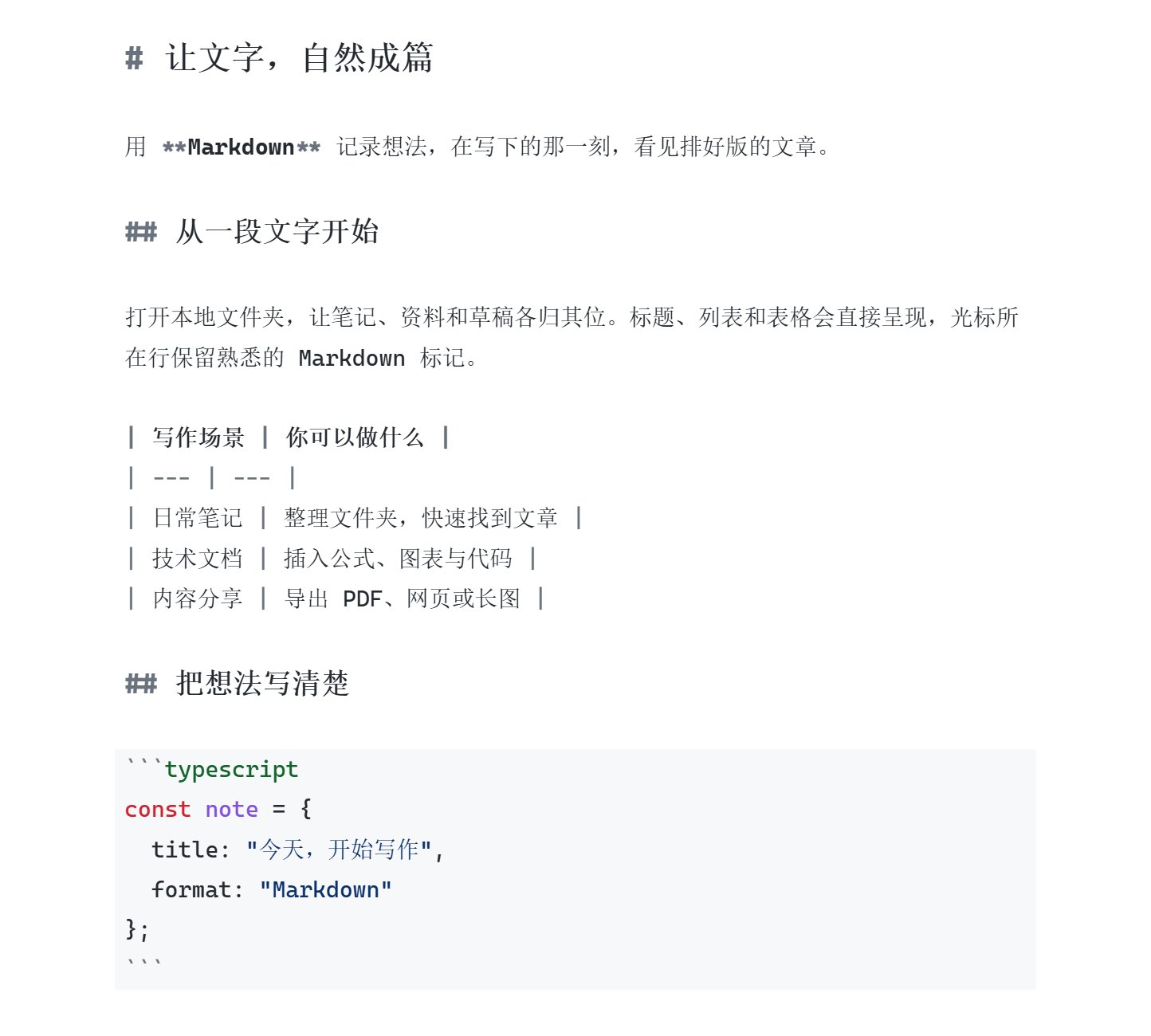
按 Ctrl + / 进入源代码模式:等宽字体、语法高亮,标题按级别放大,代码块和引用依然一目了然。Press Ctrl + / for source mode: monospace, syntax-highlighted, headings sized by level, fences and quotes still easy to spot.

Posemark: Source mode

导出得体的 PDF 与网页Exports that look the part

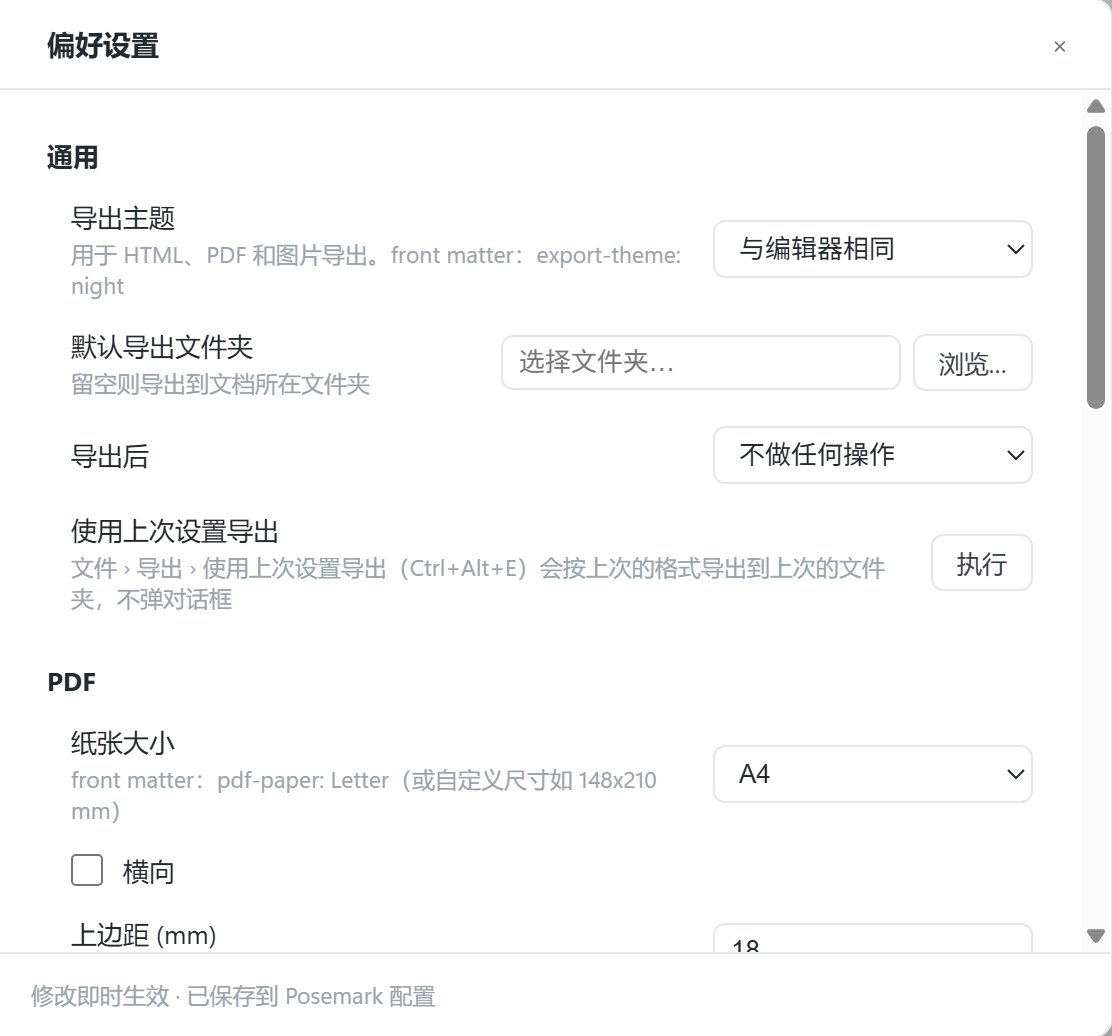
导出主题、默认文件夹、纸张、边距、页眉页脚、页码、一级标题分页,都集中在「偏好设置 › 导出」里,也能在文档的 front matter 里单独指定。Export theme, default folder, paper, margins, headers, footers, page numbers and page breaks all live under Preferences › Export — and every document can override them in its front matter.

  • HTML 自包含,可带可折叠大纲Self-contained HTML, optional outline panel
  • 整篇导出为一张长图The whole document as one long image
  • 作者、关键词写入 PDF 属性Author and keywords in the PDF properties
Posemark: Export

一键复制到微信公众号Copy straight into WeChat

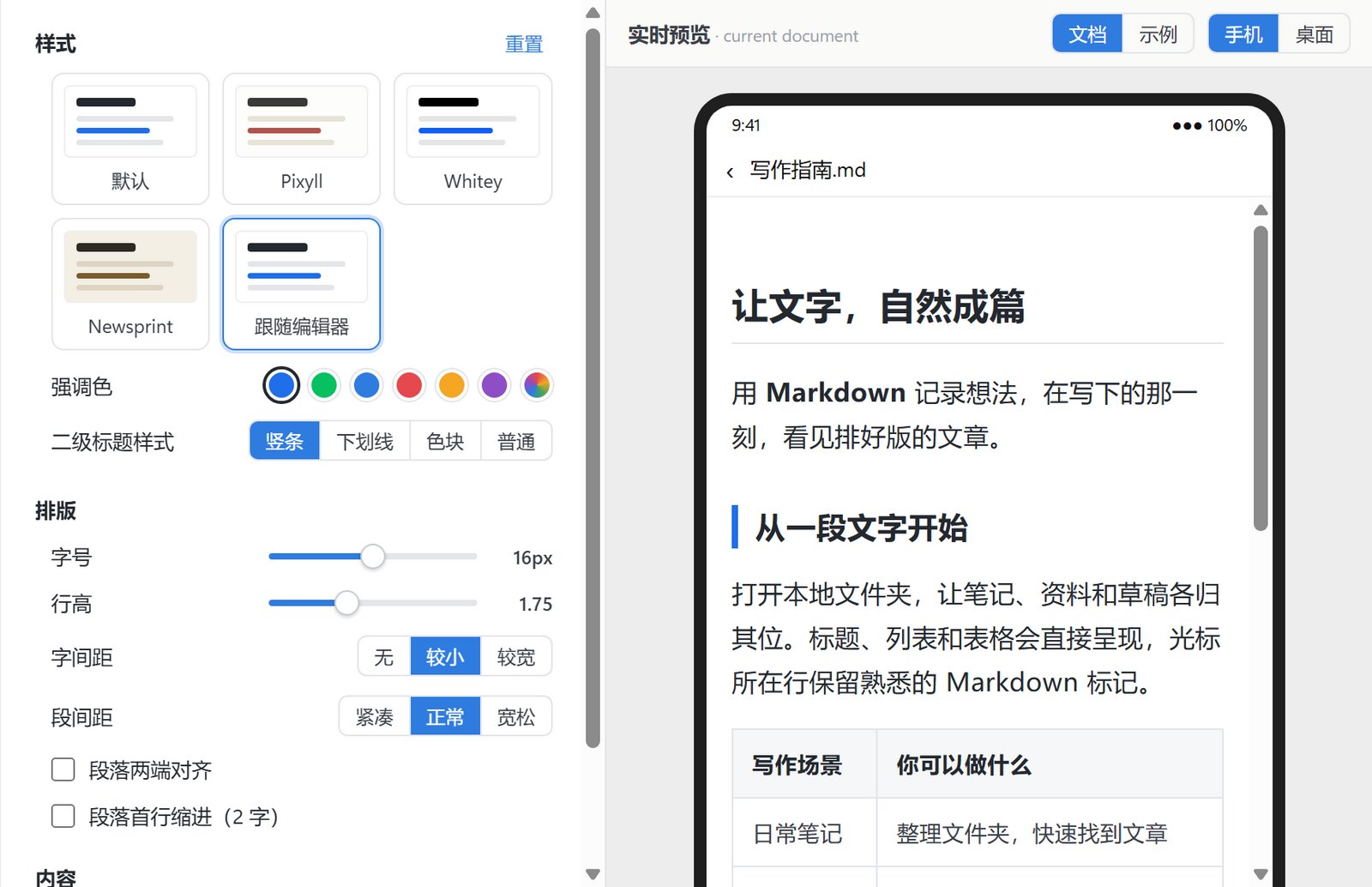
公众号会丢掉所有样式表,Posemark 把排版写成行内样式再放进剪贴板。左边挑样式、强调色、字号和行距,右边的手机预览立刻显示粘贴后的效果,公式和图表自动转成图片。WeChat's editor drops every stylesheet, so Posemark writes the formatting as inline styles. Pick a style, accent colour, font size and spacing on the left; the phone preview on the right shows the pasted result at once, with formulas and diagrams turned into images.

Posemark: WeChat

图片管理Image handling

拖入、粘贴截图自动存到 assets;拖动调整大小;支持 PicGo / PicList 上传图床。Drop or paste and images land in assets/; drag to resize; upload through PicGo or PicList.

文件夹工作区Folder workspace

文件树、大纲、全文搜索、快速打开,外部改动自动同步。File tree, outline, folder-wide search and quick open; outside changes show up on their own.

不丢稿Never lose a draft

未保存的修改随时备份,崩溃或断电后可一键恢复;也可开启自动保存。Unsaved edits are backed up continuously and restored after a crash; auto save is one switch away.

下载 PosemarkDownload Posemark

完全免费,没有账号、没有广告、不收集数据。Free, with no account, no ads and no data collection.

Windows

Windows 10 / 11(x64)。从微软商店安装可自动更新。Windows 10 / 11 (x64). Install from the Microsoft Store for automatic updates.

macOS

Apple 芯片与 Intel 芯片各一个 dmg。首次打开请右键选择“打开”。Separate dmg files for Apple silicon and Intel. The first time, right-click the app and choose Open.

Linux

x64 的 AppImage(多数发行版直接运行)和 deb(Debian / Ubuntu)。x64 AppImage (runs on most distributions) and deb (Debian / Ubuntu).

所有版本都在 GitHub Releases 发布,源代码以 MIT 许可开放。Every build is published on GitHub Releases; the source is MIT licensed.